
 Arzopa
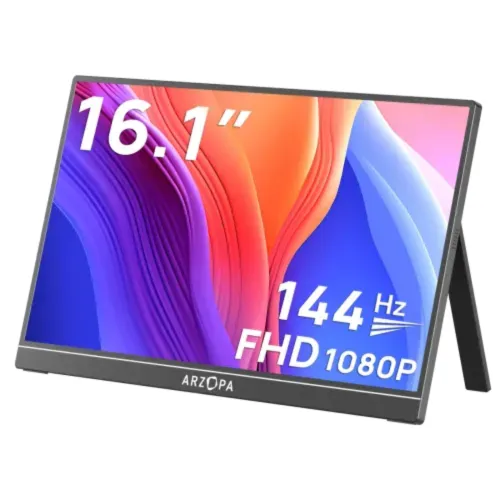
Arzopa Z1FC 16.1" 144Hz FHD IPS Portable Gaming Monitor
BDT 18,490BDT 21,990

5 products
ArzopaArzopa Arzopa
 Arzopa
Looking for the latest Monitor Price in Bangladesh? iUser.com.bd offers a wide range of monitors for gaming, office work, content creation, design, entertainment, and everyday computing. From Full HD IPS displays to high-refresh-rate gaming monitors, 2K QHD screens, 4K monitors, portable monitors, and touchscreen displays, you can choose the right monitor based on your requirements and budget.
A good monitor can significantly improve your computing experience by providing a larger workspace, better image quality, smoother motion, and greater comfort during long working or gaming sessions. Whether you are building a gaming setup, upgrading your office workstation, working with a laptop, or looking for a portable second screen, iUser.com.bd has monitor options for different users.
The monitor price in Bangladesh depends on several factors, including screen size, resolution, panel type, refresh rate, response time, color coverage, connectivity, and brand.
You can find different types of monitors at iUser.com.bd, including:
Full HD Monitor
2K QHD Monitor
4K UHD Monitor
Gaming Monitor
Portable Monitor
Touchscreen Monitor
IPS Monitor
High Refresh Rate Monitor
Curved Monitor
Professional Monitor
USB-C Monitor
Dual Screen Monitor
Triple Screen Monitor
From affordable displays for everyday office work to premium gaming and professional monitors, you can compare specifications and choose a model that fits your needs.
A portable monitor is an excellent solution for users who need an additional screen while travelling or working outside the office. These slim and lightweight displays can connect to compatible laptops, MacBooks, smartphones, gaming consoles, and other devices through USB-C or HDMI.
Portable monitors are particularly useful for:
Remote work
Freelancing
Coding
Online meetings
Trading
Content creation
Graphic design
Presentations
Gaming
Travel
Many modern portable monitors support USB-C connectivity, allowing compatible devices to transfer video and power through a single cable.
For gamers, choosing the right gaming monitor can make a noticeable difference. High-refresh-rate monitors offer smoother motion and can provide a more responsive gaming experience when paired with hardware capable of producing higher frame rates.
Depending on your gaming setup, you can choose monitors with:
120Hz / 144Hz refresh rate
165Hz refresh rate
180Hz refresh rate
240Hz or higher refresh rate
Full HD resolution
2K QHD resolution
4K UHD resolution
Low response time
Adaptive Sync support
IPS or other gaming-focused panels
A 144Hz gaming monitor is a popular choice for users who want smoother gameplay without moving to an extremely high-end display.
A 4K monitor offers a resolution of 3840 × 2160 pixels, providing four times the number of pixels found on a Full HD display. This makes 4K monitors suitable for users who need a highly detailed workspace.
They are especially useful for:
Video editing
Photography
Graphic design
3D work
Professional applications
High-resolution entertainment
Productivity
Before buying a 4K monitor, make sure your laptop or desktop has the necessary graphics capability and compatible display output.
A 2K QHD monitor provides a resolution of 2560 × 1440 pixels. It offers more screen detail than Full HD while generally requiring less graphics performance than 4K.
QHD monitors are popular among gamers, programmers, designers, content creators, and professionals who want a balance between image quality and performance.
For gaming, combining a QHD display with a high refresh rate can provide an excellent balance between sharp visuals and smooth motion.
IPS monitors are popular because of their wide viewing angles and consistent image quality. They are suitable for office work, content creation, photo editing, video editing, gaming, and general entertainment.
If accurate and consistent colors are important to you, an IPS monitor can be a practical choice.
A touchscreen monitor allows users to interact directly with applications using touch input. These monitors can be useful for creative work, presentations, POS applications, education, productivity, and specialized workflows.
Portable touchscreen monitors are particularly convenient for users who want touch functionality while travelling.
MacBook users can benefit from an external monitor to create a larger workspace. A USB-C monitor or portable monitor can be especially convenient for modern MacBook models.
An external monitor can be used for:
Extended desktop
Video editing
Coding
Graphic design
Office work
Multitasking
Presentations
For MacBook users, check USB-C/Thunderbolt compatibility and the monitor's supported resolution before purchasing.
A monitor for laptop can turn a portable computer into a more productive workstation. You can use the laptop display together with an external monitor to create a dual-screen setup.
This is particularly useful for freelancers, programmers, traders, designers, students, and office professionals who regularly work with multiple applications.
The best monitor depends on how you plan to use it.
For gaming: Look for a high refresh rate, low response time, adaptive sync, and suitable resolution.
For office work: A Full HD or QHD IPS monitor with comfortable viewing features can be a practical choice.
For designers: Prioritize color accuracy, resolution, color gamut, and panel quality.
For content creators: A high-resolution display with good color reproduction can make editing workflows more efficient.
For travel: A lightweight portable monitor with USB-C connectivity is ideal.
For professional multitasking: Consider a larger monitor, ultrawide display, or multi-monitor setup.
iUser.com.bd can offer monitors from different international brands depending on current availability. Popular monitor brands include Arzopa, UPERFECT, EHOMEWEI, Philips, CFORCE, Acer, ASUS, LG, Samsung, and other leading manufacturers.
Portable monitor brands such as Arzopa, UPERFECT, and EHOMEWEI are particularly useful for users looking for compact second-screen solutions. Current market listings also show portable models ranging from basic Full HD displays to premium 2.5K, 4K, touchscreen, and multi-screen solutions.
Before buying a monitor, consider these important specifications:
Choose a size according to your desk space and usage. Common options include 14-inch and 15.6-inch portable monitors, as well as larger desktop displays.
Full HD is suitable for everyday use, while QHD and 4K provide sharper images and more workspace.
60Hz is sufficient for general work. Gamers may prefer 120Hz, 144Hz, 165Hz, 180Hz, or higher.
IPS panels are popular for their viewing angles and consistent colors, while other panel technologies may offer different advantages.
Check for HDMI, USB-C, DisplayPort, and other ports according to your devices.
Designers, photographers, and video editors should pay attention to sRGB, DCI-P3, Adobe RGB, and other color specifications.
If you frequently travel, choose a slim and lightweight portable monitor that fits easily into your laptop bag.
Looking for a monitor shop in Bangladesh? iUser.com.bd offers a convenient way to explore monitors for gaming, office work, professional design, entertainment, and portable productivity.
Whether you need a Full HD monitor, 2K monitor, 4K monitor, gaming monitor, portable monitor, USB-C monitor, or touchscreen monitor, compare the available models, specifications, features, and prices before making your purchase.
Shop the latest monitors in Bangladesh from iUser.com.bd and upgrade your workstation, gaming setup, or portable workspace with the right display.