
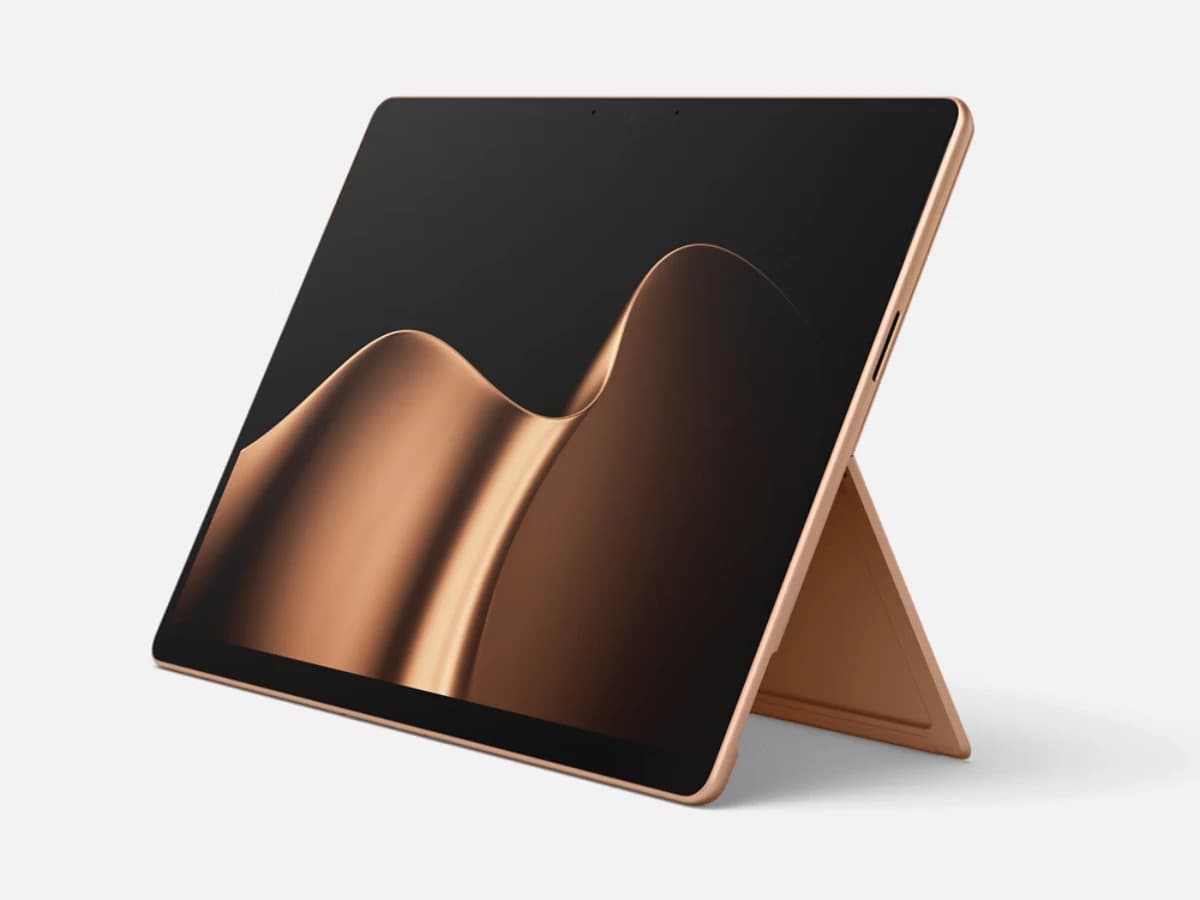
Microsoft Surface Pro (LCD) Copilot+ PC 13" 256GB Tablet with Qualcomm Snapdragon X2 Plus/16GB RAM (2026)
BDT 250,990

2 products
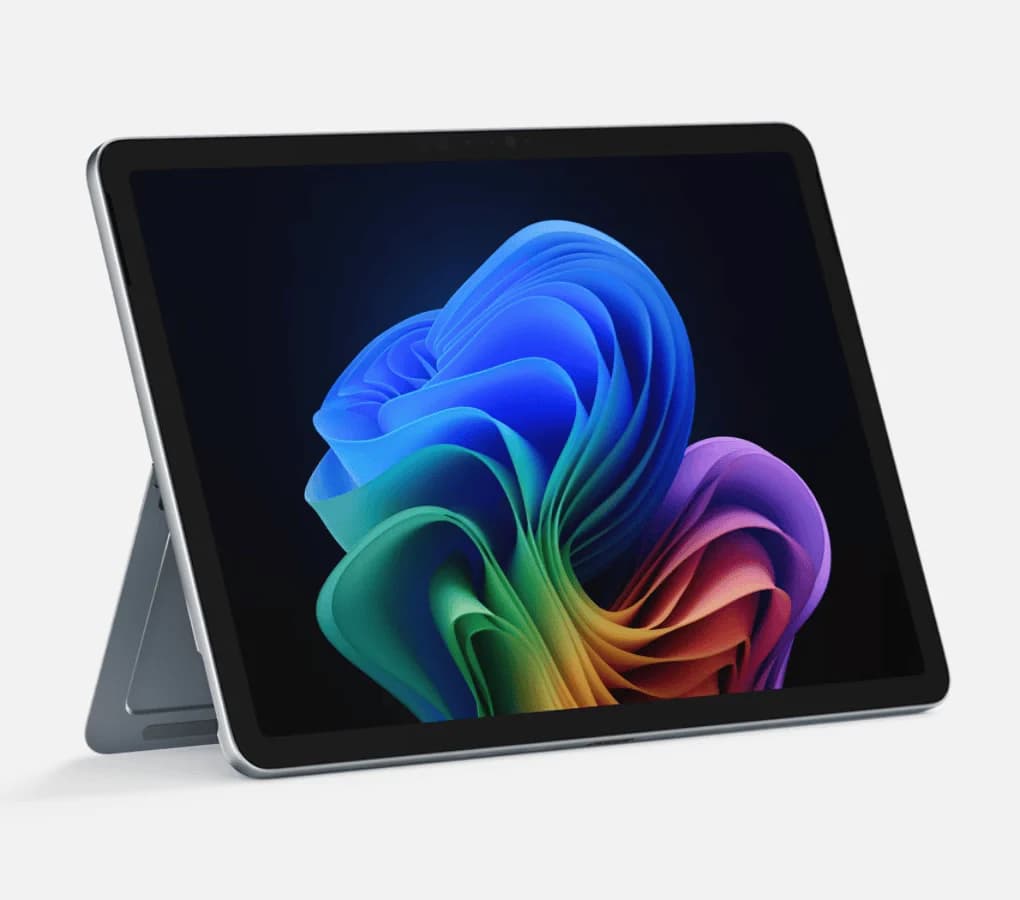
Looking for a premium Windows laptop with a clean design, responsive performance and modern AI capabilities? Microsoft Surface Laptop is built for users who want portability without giving up productivity.
Surface devices combine a refined design with touchscreen displays, modern processors, Windows 11 and Copilot+ PC capabilities on supported configurations. Whether you are a student, business professional, freelancer, developer or creative user, there is a Surface device designed for different types of work.
At iUSER, you can explore Microsoft Surface Laptop and Surface Pro devices available for customers in Bangladesh and compare models according to performance, size, memory, storage and budget.
The Microsoft Surface Laptop price in Bangladesh varies depending on the generation, processor, RAM, SSD capacity, display size and configuration.
Some Surface models commonly searched by Bangladesh customers include:
Microsoft Surface ModelPrice in BangladeshSurface Laptop 13" Snapdragon X Plus Copilot+ PC৳145,000Surface Laptop 7 Snapdragon X Plus 32GB Copilot+ PC৳220,000Surface Laptop 7 Snapdragon X Elite 15"৳155,000Surface Laptop 7 Intel Core Ultra 7 Copilot+ PC৳275,000Surface Pro 11 Snapdragon X Plus Copilot+ PC৳180,000Surface Pro 10 Intel Core Ultra 7৳225,000Surface Pro 12 Snapdragon X Plus৳180,000
Prices can vary based on configuration, availability and market conditions. Check the individual iUSER product listing for the latest price before ordering.
Microsoft Surface devices are designed around portability, productivity and the Windows experience.
Compared with a conventional laptop, Surface Pro also gives users the flexibility of switching between tablet and laptop-style use. Microsoft describes Surface Laptop as a traditional clamshell laptop, while Surface Pro uses a 2-in-1 design with a kickstand and detachable keyboard.
Key advantages include:
Premium and lightweight design
High-quality touchscreen displays
Windows 11
Copilot+ PC capabilities on supported models
Modern Snapdragon and Intel processors
Fast SSD storage
Long battery life
Comfortable keyboard and precision touchpad
USB-C connectivity
Surface Pen support on compatible devices
Portable designs for work and study
A good student laptop should be easy to carry, comfortable for long study sessions and capable of handling everyday applications.
Surface Laptop can be a strong choice for:
University assignments
Online classes
Microsoft Word
PowerPoint presentations
Excel
Web browsing
Research
Programming
Note-taking
Video meetings
The compact Surface models are particularly attractive for students who travel between home, campus and study spaces.
Surface Laptop is also well suited to professionals who want a premium Windows laptop for everyday business tasks.
You can use a Surface for:
Microsoft Office
Excel
PowerPoint
Video conferencing
Business software
Cloud applications
Remote work
Presentations
Multitasking
The combination of portability and Windows compatibility makes Surface a practical option for professionals who work across different locations.
Freelancers often need a laptop that can handle multiple applications while remaining easy to carry.
Surface Laptop can be suitable for:
Content writing
SEO
Digital marketing
Web development
Graphic design
Business management
Social media management
Online meetings
Remote work
For heavier creative workloads, choosing a configuration with more RAM and storage can provide a more comfortable multitasking experience.
Developers can use Surface devices for a wide range of programming and development tasks.
Depending on the processor and software compatibility, Surface can be used for:
Visual Studio
Web development
Python
JavaScript
Database work
Cloud development
Data analysis
Software development
Before choosing a Snapdragon-based Surface, developers should check compatibility with any specialized applications, drivers or development tools they depend on.
The touchscreen form factor and high-quality displays make Surface devices interesting for creative users.
They can be used for:
Photoshop
Illustrator
Lightroom
Figma
Canva
UI/UX design
Digital illustration
Photo editing
Creative presentations
For demanding creative workflows, look at processor performance, RAM and SSD capacity rather than choosing a model based only on screen size.
One of the most important decisions is whether you want a traditional Surface Laptop or the more flexible Surface Pro.
FeatureSurface LaptopSurface ProDesignTraditional laptop2-in-1 tabletKeyboardBuilt-inDetachableTouchscreenYesYesPortabilityExcellentExtremely portableTablet ModeNoYesKickstandNoYesPen SupportDepends on modelSupported on compatible modelsBest ForProductivity and traditional laptop useLaptop + tablet flexibility
Microsoft positions Surface Laptop as the classic laptop experience, while Surface Pro is designed to combine laptop performance with tablet flexibility.
The smaller Surface Laptop configuration is aimed at users who prioritize portability.
It can be a good fit for:
Students
Travelers
Office workers
Freelancers
Writers
Business users
A compact display and lightweight form factor make it convenient for carrying throughout the day.
Microsoft's current lineup also includes a 13-inch Surface Laptop with Snapdragon X Plus, with 8GB and 16GB memory configurations depending on the market.
The 13.8-inch Surface Laptop provides a useful balance between portability and workspace.
It is suitable for users who want:
A larger working area
Comfortable multitasking
Touchscreen interaction
Long mobile working sessions
A premium Windows laptop
Current Surface Laptop generations include Snapdragon-based configurations and higher memory options depending on the model.
For users who prefer a larger workspace, the 15-inch Surface Laptop offers more screen area while maintaining the Surface design philosophy.
It can be particularly useful for:
Business professionals
Excel users
Multitasking
Content creators
Developers
Large-document workflows
Microsoft's current Surface Laptop range includes 15-inch models alongside smaller configurations.
Surface Pro is designed for people who want the flexibility of both a laptop and a tablet.
It uses a kickstand and detachable keyboard, allowing you to switch between different working styles.
Surface Pro can be used for:
Writing
Presentations
Note-taking
Drawing
Reading
Video meetings
Office work
Web browsing
Creative work
Travel
The current Surface Pro family includes 12-inch and 13-inch models, with different processor and display configurations.
The Surface Pro 12-inch is designed around portability and flexibility.
The Snapdragon X Plus configuration provides an 8-core processor and Copilot+ PC capabilities on supported memory configurations. Microsoft lists a 12-inch PixelSense LCD display with a 3:2 aspect ratio and up to 90Hz refresh rate.
It is a strong option for users who want:
A compact 2-in-1
Touchscreen productivity
Tablet functionality
Portable Windows computing
AI-enabled Windows features
Pen-based interaction
The larger Surface Pro provides additional screen space while retaining the flexible 2-in-1 design.
Depending on the configuration, it can include Snapdragon X Plus or X Elite processors, with OLED available on selected configurations.
This makes it suitable for users who want more screen space for productivity, creative work and multitasking without moving to a traditional 15-inch laptop.
One of the major developments in newer Surface devices is the integration of Copilot+ PC features.
Copilot+ PCs are Windows computers equipped with a dedicated NPU designed for AI workloads. Microsoft states that Copilot+ PCs require hardware capable of more than 40 trillion operations per second for these AI experiences.
Supported Surface devices can provide features such as:
Copilot
Recall
Live Captions
Cocreator
Windows Studio Effects
Automatic Super Resolution
Improved Windows Search
Feature availability can vary by device, configuration, region and software version.
Different Surface generations use different processor families.
Depending on the model, you may find:
Snapdragon X Plus processors are used in several Copilot+ Surface configurations and focus on efficient performance and on-device AI capabilities.
X Elite configurations are aimed at users who want higher performance within Microsoft's ARM-based Surface lineup.
Some Surface configurations use Intel Core Ultra processors, making them attractive to users who prefer Intel-based Windows hardware and broader traditional Windows application compatibility.
Always check the exact processor and model before ordering because Surface specifications vary between generations.
The display is one of the defining features of the Surface experience.
Depending on the model, Surface devices provide:
Touchscreen interaction
3:2 aspect ratio
High resolution
Multi-touch support
Excellent viewing experience
Pen support on compatible devices
The 3:2 aspect ratio provides additional vertical space compared with many traditional 16:9 laptop screens, which can be useful for documents, websites and productivity applications.
Compatible Surface devices support touch and Surface Pen interaction.
This can be useful for:
Handwritten notes
Sketching
Annotating documents
Digital art
PDF markup
Presentations
Classroom work
Surface Pro is particularly suited to this style of interaction because its detachable keyboard and kickstand allow it to function as a tablet or laptop.
Battery performance varies significantly depending on the model, processor, workload and settings.
Microsoft lists long battery-life figures for current Surface Laptop and Surface Pro devices, although actual usage depends on applications, display settings, network activity and other factors.
For users who frequently work away from a power outlet, battery efficiency is one of the key factors to consider when choosing a Surface configuration.
Modern Surface devices include contemporary connectivity options, although the exact ports vary by model.
Depending on the device, you may find:
USB-C
USB-A on selected models
Surface Connect
Wi-Fi
Bluetooth
External display support
Port selection is particularly important if you regularly connect monitors, storage drives, docks or other peripherals.
Microsoft Surface can be a good fit for users who value portability and premium Windows hardware.
For classes, research, assignments and presentations.
For office applications, meetings, presentations and multitasking.
For remote work, content creation and online business.
For programming, web development and compatible development tools.
For touchscreen workflows, creative applications and digital design.
For users who want a lightweight Windows computer that is easy to carry.
Before purchasing, consider these factors.
Choose Snapdragon or Intel according to your software requirements and preferred platform.
For everyday work, moderate memory can be enough. Heavy multitasking and professional workloads benefit from higher RAM configurations.
Choose enough SSD storage for your applications, documents, photos and projects.
Choose a smaller model for portability or a larger model for more workspace.
If you want a conventional laptop, choose Surface Laptop. If you want tablet functionality and a detachable keyboard, consider Surface Pro.
ARM-based Snapdragon Surface devices can run many Windows applications, but users dependent on specialized software should verify compatibility before buying.
Surface Pro keyboards and Slim Pen accessories may be sold separately depending on the configuration, so check what is included with your selected product.
iUSER provides a range of technology products for customers in Bangladesh, including Microsoft Surface devices and other premium laptops.
When selecting a Surface device from iUSER, compare:
Processor
RAM
SSD
Screen size
Model generation
Laptop vs 2-in-1 design
Current price
Availability
Included accessories
This makes it easier to choose a Surface configuration that actually matches your work or study requirements.
If you are searching for Microsoft Surface Laptop price in Bangladesh, Surface Pro price in Bangladesh, Surface Laptop 7 price in Bangladesh, or Surface Pro Copilot+ PC price in Bangladesh, iUSER provides a convenient place to explore available Microsoft Surface devices.
Before ordering, compare the processor, memory, storage, screen size and operating requirements of your preferred model.
For traditional laptop users, Surface Laptop provides a familiar clamshell design. For users who want a combination of tablet and laptop functionality, Surface Pro offers a more flexible form factor.
Surface DevicePriceSurface Laptop 13" Snapdragon X Plus Copilot+ PC৳145,000Surface Laptop 7 Snapdragon X Plus 32GB৳220,000Surface Laptop 7 Snapdragon X Elite 15"৳155,000Surface Laptop 7 Intel Core Ultra 7৳275,000Surface Pro 11 Snapdragon X Plus৳180,000Surface Pro 10 Intel Core Ultra 7৳225,000Surface Pro 12 Snapdragon X Plus৳180,000
Prices shown above are based on the supplied iUSER content and should be checked against the current product listing before publishing or purchasing.
The price varies according to the model, processor, RAM, storage and display size. iUSER's supplied listings include Surface Laptop configurations starting around ৳145,000.
A compact Surface Laptop with sufficient RAM and SSD storage can be a good choice for students who need a portable Windows laptop for study, research, Office applications and online classes.
Yes. Surface Laptop is well suited to Microsoft Office, presentations, video meetings, web applications, cloud services and everyday business work.
Surface Laptop is a traditional clamshell laptop, while Surface Pro is a 2-in-1 device with a kickstand and detachable keyboard.
Surface devices can be suitable for programming and development, but software compatibility should be checked before choosing between Snapdragon ARM-based and Intel configurations.
It can function as both. Surface Pro is designed as a 2-in-1 Windows device that can be used as a tablet or combined with its detachable keyboard for laptop-style work.
Selected Surface devices qualify as Copilot+ PCs and provide Windows AI experiences using dedicated NPU hardware.
Yes. Touchscreen interaction is a major part of the Surface product family.
Compatible Surface models support Surface Pen or Surface Slim Pen accessories. The exact accessory and compatibility depend on the device.
Choose Surface Laptop if you primarily want a conventional laptop. Choose Surface Pro if you value tablet functionality, touch interaction and a detachable keyboard.
You can explore available Microsoft Surface Laptop and Surface Pro models through iUSER and compare their specifications, prices and configurations before ordering.
Microsoft Surface continues to appeal to users who want a combination of premium design, Windows productivity, portability and modern AI features.
The right model depends on your requirements. A Surface Laptop is a better fit for users who prefer a traditional laptop, while Surface Pro is ideal for those who want the flexibility of a tablet and laptop in one device.
If you are searching for the Microsoft Surface Laptop price in Bangladesh, explore the available Surface models at iUSER and compare processor, RAM, storage, screen size and form factor before making your decision.